
HP WK04XL Laptop Battery for Victus 15 & 16
Rs23,000.00
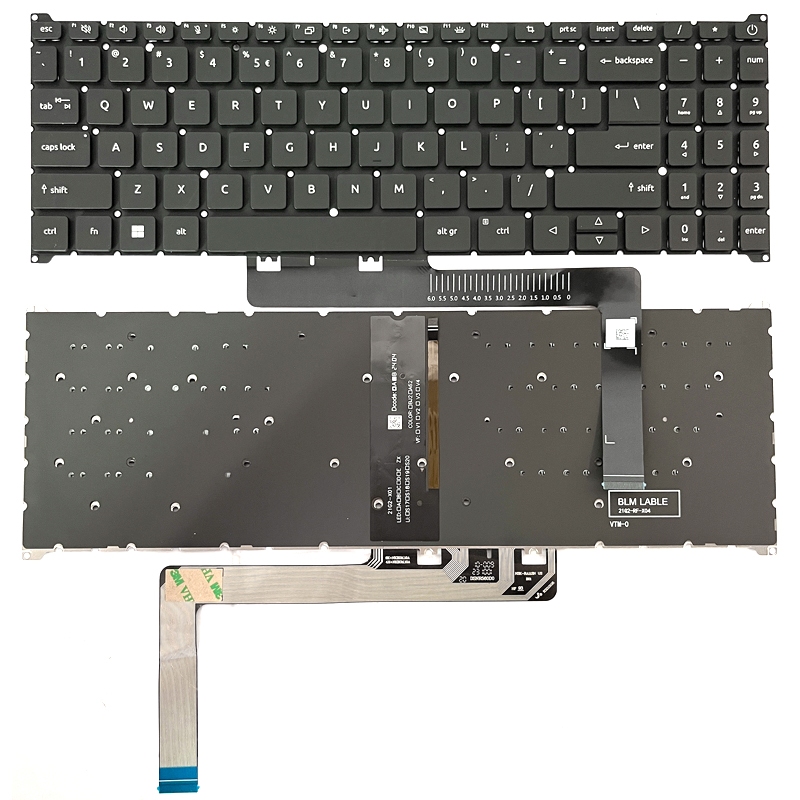
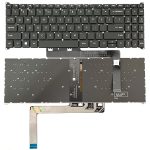
Acer A315-59 Backlit Laptop Keyboard
🎯 Available Payment Options:
 Cash / Bank Transfer:Rs11,250.00 (10% Discount)
 Credit / Debit Card:Rs11,875.00 (5% Discount)
 Koko Payment (3x):3 Payments of Rs4,166.67
Rs12,500.00
Acer A315-59 Backlit Laptop Keyboard for selected Acer Aspire A315-59, A315-59G, A515-57, A515-57G, A715-51G and A715-76 laptops. Smooth typing, illuminated keys, and reliable replacement quality.
Did you like this product? Add to favorites now and follow the product.
Description
The Acer A315-59 Backlit Laptop Keyboard is a high-quality replacement keyboard designed for selected Acer Aspire 3 and Aspire 5 laptops. It is suitable for laptops with damaged keys, liquid damage, missing keycaps, unresponsive buttons, or a keyboard backlight that no longer works correctly.
This replacement keyboard provides smooth key response, comfortable typing, and illuminated keys for easier use in low-light environments. It is ideal for students, office users, technicians, business professionals, and home users who need a reliable keyboard replacement.
Compatible laptop models may include:
- Acer Aspire 3 A315-59
- Acer Aspire 3 A315-59G
- Acer Aspire 5 A515-57
- Acer Aspire 5 A515-57G
- Acer Aspire 7 A715-51G
- Acer Aspire 7 A715-76
Replacement keyboard listings commonly group these model families together, but compatibility can vary by keyboard layout, color, ribbon cable, mounting style, and backlight connector.
Product features:
- Backlit keyboard design
- Smooth and responsive keys
- Full-size layout with numeric keypad
- Durable replacement construction
- Suitable for damaged or faulty keyboards
- Comfortable for everyday typing
- Tested before dispatch
- US/UK layout depending on stock
Product specifications:
- Brand Compatibility: Acer
- Product Type: Laptop Keyboard
- Compatible Model: Acer Aspire A315-59
- Keyboard Type: Backlit
- Color: Black
- Numeric Keypad: Yes
- Condition: Brand New
- Quality: OEM-Compatible Replacement
- Layout: Depending on stock availability
Professional installation is recommended. Before ordering, compare the original keyboard layout, ribbon cable position, mounting points, color, Enter-key shape, and backlight cable. Some original Acer A315-59 configurations were sold without keyboard backlighting, so installing a backlit keyboard may require the laptop motherboard and palmrest to support the separate backlight connection.
Before installation, shut down the laptop completely, disconnect the charger, and disconnect the internal battery. Avoid bending or damaging the keyboard ribbon cables during installation.
PC Garage supplies laptop replacement keyboards with islandwide delivery and professional technical support. Send the complete laptop model number and a clear photo of the original keyboard ribbon cables before ordering to confirm compatibility.
Related products

Recently Viewed Products
Acer A315-59 Backlit Laptop Keyboard
Rs12,500.00
Follow us

Powerd by PC Garage

Reviews
There are no reviews yet.