
Lenovo ThinkPad X1 Yoga 3rd Gen 2018 14.0 Touch Display Screen Replacement (FHD IPS)


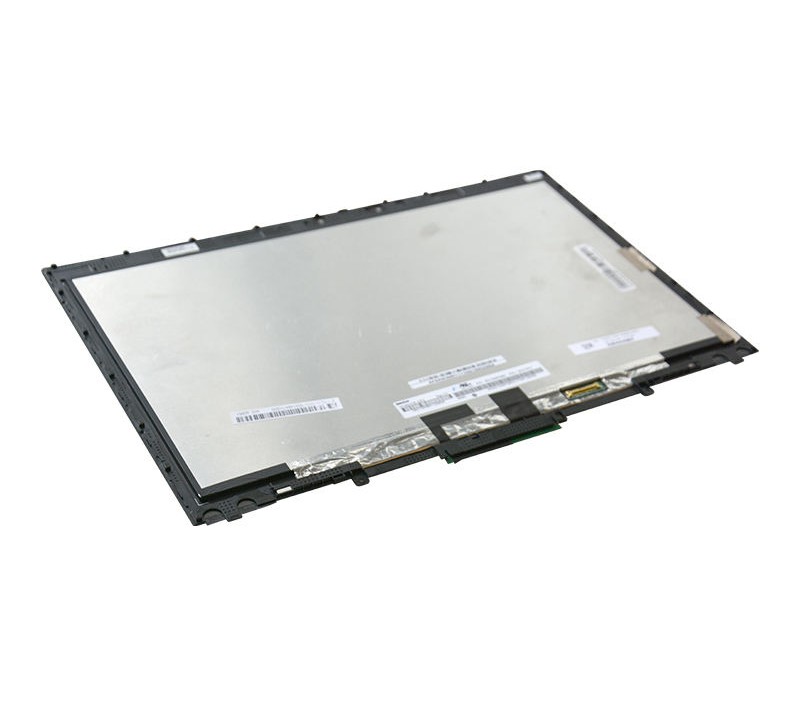


Premium Lenovo ThinkPad X1 Yoga 3rd Gen 2018 14.0 N140HCE-GP2 laptop display — high-quality IPS panel, vibrant colors, crisp Full HD visuals, perfect fit & easy install. Upgrade your ThinkPad display today!
🎯 Available Payment Options:
 Cash / Bank Transfer:Rs44,100.00 (10% Discount)
 Credit / Debit Card:Rs46,550.00 (5% Discount)
 Koko Payment (3x):3 Payments of Rs16,333.33
- Delivered today (order Mon-Fri before 12:00, delivery between 17:00 and 22:00)
- excluded shipping costs, sent by PC Garage
- Pick up at a PC Garage Store possible
- Customer service 9am - 5pm
Description
If your Lenovo ThinkPad X1 Yoga 3rd Gen 2018 touchscreen is cracked, unresponsive, flickering, or showing display issues, this 14.0″ Touch Display Replacement Screen is the perfect solution to restore your laptop to like-new condition.
Designed specifically for the ThinkPad X1 Yoga 3rd Generation (2018 model), this is a Full HD (1920×1080) IPS Touchscreen panel with digitizer, delivering sharp visuals, accurate touch response, and smooth performance.
🌟 Premium Touchscreen Experience
This display includes:
-
✔ 14.0-inch Full HD resolution (1920×1080)
-
✔ IPS panel technology
-
✔ Multi-touch digitizer support
-
✔ Wide viewing angles
-
✔ Bright and vibrant color reproduction
The IPS technology ensures consistent colors from every angle, making it ideal for business users, designers, students, and professionals.
The integrated touchscreen allows you to use your laptop in tablet mode, making full use of the 360° hinge feature of the ThinkPad X1 Yoga.
🔧 Perfect Compatibility
This Lenovo ThinkPad X1 Yoga 3rd Gen 2018 14.0 Touch Display is built according to OEM specifications for:
-
Model: ThinkPad X1 Yoga 3rd Generation
-
Year: 2018
-
Size: 14.0 inches
-
Resolution: Full HD 1920×1080
-
Type: IPS Touchscreen with Digitizer
Before purchasing, please confirm:
-
Your exact laptop model
-
Screen resolution
-
Touch version (non-touch is different)
-
Connector type
⚠️ Common Problems This Fixes
-
Cracked or shattered touch glass
-
Touch not responding
-
Ghost touch issues
-
White screen or black screen
-
Flickering display
-
Vertical lines
-
Dead pixels
Replacing the full touch display assembly restores both display quality and touch function.
🛠 Installation Tips
-
Disconnect battery before installation
-
Handle the screen carefully by edges
-
Test the display before final assembly
-
If unsure, professional installation is recommended
Touch displays are more delicate than non-touch panels, so careful handling is important.
💡 Why Replace Instead of Buying New?
The ThinkPad X1 Yoga 3rd Gen is still a powerful premium business laptop. Replacing the display is much more cost-effective than buying a new device.
Restore your laptop’s premium look and performance with this high-quality touch display replacement.
Reviews
There are no reviews yet.