
HP EliteBook 830 G5 Laptop Keyboard | Durable Replacement for Efficient Typing
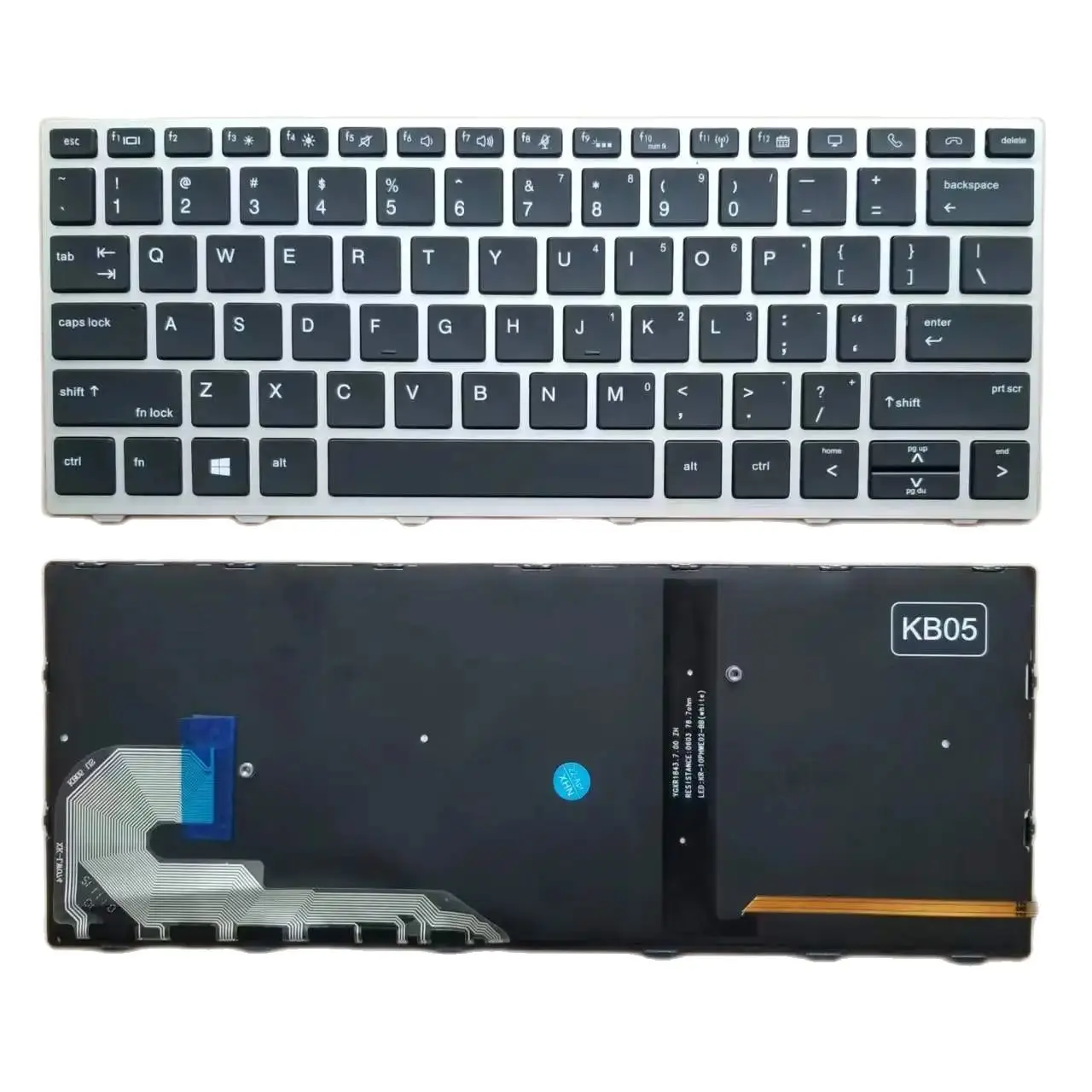


Shop for the HP EliteBook 830 G5 Laptop Keyboard for smooth and responsive typing. Full compatibility and easy installation. Order now for fast shipping!
🎯 Available Payment Options:
 Cash / Bank Transfer:Rs6,210.00 (10% Discount)
 Credit / Debit Card:Rs6,555.00 (5% Discount)
 Koko Payment (3x):3 Payments of Rs2,300.00
- Delivered today (order Mon-Fri before 12:00, delivery between 17:00 and 22:00)
- excluded shipping costs, sent by PC Garage
- Pick up at a PC Garage Store possible
- Customer service 9am - 5pm
Description
HP EliteBook 830 G5 Laptop Keyboard – Restore Your Typing Experience
If your HP EliteBook 830 G5 laptop keyboard is damaged or malfunctioning, replace it with the HP EliteBook 830 G5 Laptop Keyboard for a seamless and responsive typing experience. Designed for durability and comfort, this replacement will ensure your laptop feels brand new.
Key Features:
- ✅ Perfect Compatibility – Fully compatible with HP EliteBook 830 G5 models.
- ✅ High-Quality Construction – Built with premium materials for long-lasting performance.
- ✅ Responsive Keys – Ensures smooth and precise key presses for improved typing efficiency.
- ✅ OEM Quality – Matches or exceeds the original keyboard’s quality and design.
- ✅ Easy Installation – Simple and straightforward replacement process.
Compatible Laptop Models:
The HP EliteBook 830 G5 Laptop Keyboard is compatible with:
- HP EliteBook 830 G5
- HP EliteBook 820 G5
- HP EliteBook 850 G5
- HP ProBook 640 G5
Why Choose This Replacement Keyboard?
✔ Restores Full Functionality – Quickly resolves issues like broken or unresponsive keys.
✔ Long-Lasting Durability – Built to handle long-term typing and daily use.
✔ OEM Standards – Matches original keyboard design for a perfect fit.
✔ Affordable Solution – Cost-effective compared to purchasing a new laptop.
Installation & Maintenance Tips:
- Ensure the laptop is powered off and unplugged before replacing the keyboard.
- Use a small screwdriver to carefully remove screws and detach the old keyboard.
- Clean the keyboard compartment to remove any dust or debris.
- Test the new keyboard by pressing each key to ensure proper functionality.
- Regularly clean the keyboard to maintain its performance and prevent dirt buildup.
Reviews
There are no reviews yet.